Securely back up Gmail emails, contacts, calendars & Drive data on Windows and macOS.
SysInfo Gmail Backup Tool helps users back up Gmail data and transfer it to file formats, email clients, and cloud services. It downloads emails with attachments and offers separate options for contacts, calendars, Google Drive files, and Photos. Local backups support recordkeeping, offline access, migration, and protection against accidental deletion or data loss.
The tool exports emails to PST, MBOX, EML, EMLX, MSG, PDF, HTML, CSV, DOCX, TXT, PNG, and JPEG. Users can save data locally or choose a supported destination. The software is designed to retain folder hierarchy and message details, including sender and recipient fields, date, subject, body, formatting, signatures, hyperlinks, and inline images. Exported emails can be opened in applications such as Outlook, Thunderbird, and Apple Mail.
Listed direct-migration destinations include Office 365, another Gmail account, Google Workspace, Hotmail, Zoho Mail, iCloud Mail, Yandex Mail, and IMAP accounts. Users can transfer emails without first creating an intermediate export file. The software aims to preserve folder structure and message content. Secure access may require a Google App Password or the authentication method specified for the account and destination.
Batch processing lets users add multiple accounts through a CSV file and process them in one session. Users can view progress and pause or resume an interrupted process. Fast Mode supports quicker email backup. After an initial full backup, Incremental Backup can transfer new or modified data instead of repeating the complete process. An option to skip previously migrated data is also available in supported workflows.
Email filters control which messages are included. Date Filter selects emails between chosen start and end dates. Skip Duplicate Emails identifies repeated messages using To, From, Subject, and Body details. Users can include attachments, exclude them, or save them separately where supported. File-naming options organize messages using subject, date, sender, or recipient. A log screen provides process information. These filters apply to emails, not contacts, calendars, or other Google data.
Separate options are available for contacts, calendars, Drive files, and Photos. Contacts and calendars can be saved in formats such as VCF and ICS. Drive data can be downloaded, and previously migrated items can be skipped. PST splitting divides a large output PST into smaller files of a preferred size.
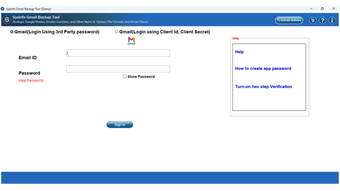
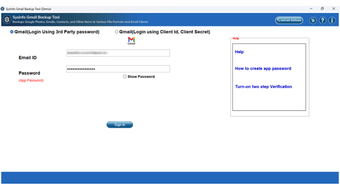
SysInfo Gmail Backup Tool is available for Windows and macOS in Home, Administrator, Technician, and Enterprise editions. The workflow is to launch the application, sign in to Gmail, select folders or Google data, choose an output format or destination, apply available email filters, select an output location where required, and start the backup or migration. Its interface is designed for users with different levels of technical experience.
The free demo can save up to 50 emails per folder and up to 15 other items per folder for supported Google data. A licensed edition is required beyond these limits. Listed product details are version 25.08, 208 MB, English language support, and release date 17 October 2025. The product page lists Windows 11, 10, 8.1, 8, 7, Server 2008, and Server 2012 (32-bit and 64-bit), and states that a macOS version is also offered.
With format export, cloud migration, batch processing, email filters, incremental backup, and options for other Google data, SysInfo Gmail Backup Tool supports Gmail backup and transfer. Check account, destination, and feature compatibility before using the tool.